
From setup to your first rental
Learn how to install your objects, set the licence holder’s REAL_OWNER_UUID in the notecard, link your listings and assign team access.
Estate OS
Your parcels, tenants and payments, from the initial sale to rent renewals.

SCRIPT LAB / The interface in practice
A short introduction, then explore the details at your own pace.
Watch on YouTube ↗Videos are in English. Guides are available in all five website languages.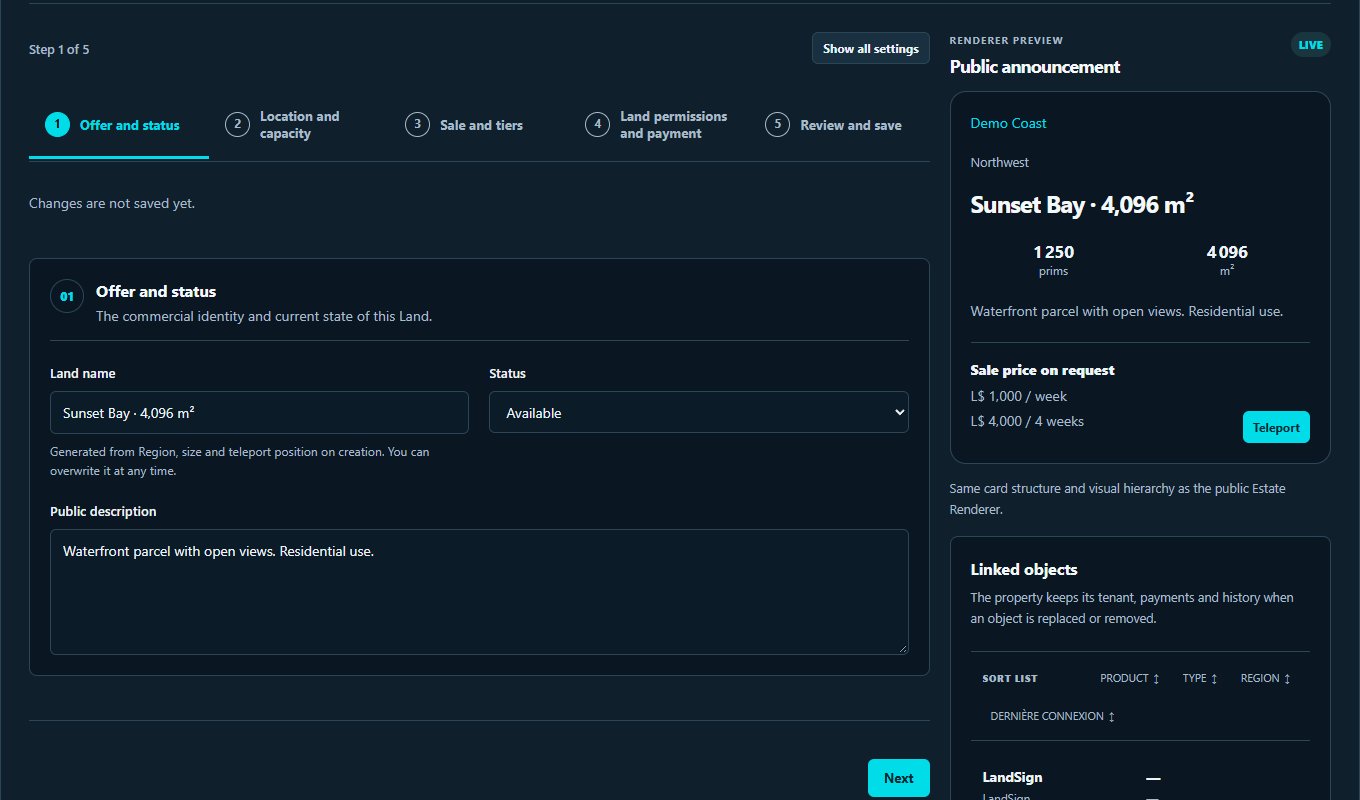
Review its features, included objects and licence terms.
Use your invitation and link your Second Life avatar to the intended account.
Follow the service guide, connect your objects and check their first contact in the dashboard.
OBJECTS THAT WORK TOGETHER
Follow the connections between objects. Open each one to understand its role.
Presents the land and supports its sale. A confirmed sale starts tenancy tracking.
Displays a linked parcel. Visitors can view details and the destination.
Accepts rent or renewals under the property terms. The shared rental engine tracks expiry dates.
Brings together listings, tenants and permissions. Visitor Counter tracks visits; System Bot sends permitted notifications.
Installation and troubleshooting guide →
EXPLORE AND GET STARTED
The objects to install, the essential settings.
Learn how to install your objects, set the licence holder’s REAL_OWNER_UUID in the notecard, link your listings and assign team access.
DAY TO DAY
Available features depend on your plan, permissions and connected objects.
Choose the parcel sale price and the rental time included in that purchase, then set renewal terms.
Present land on site with a LandSign and show its listing at your office with a Displayer.
Keep a discount on four complete weeks or use one-to-four-week tiers with a price reduction or bonus time. Only one mode is active at a time.
Track tenants, expiry dates and transactions. Tenants can renew from a terminal or their HUD.
Give each member the access they need to manage properties, review payments and follow up with tenants.
Enter weekly or monthly region costs. Paid rental periods, vacancies, declared paid salaries and confirmed commission payouts feed the calculation. Follow daily bars and export the breakdown as CSV.
Moving from CasperLet, ParcelRent or another tool? Prepare your data using the supplied CSV template, map the columns, and check tenants and expiry dates in the preview before confirming. The original file may need adapting.
Identify the seller through LandSign ownership, Take Sale or presence on the parcel. The owner chooses when several agents are detected. Percentage or fixed commissions require approval before direct or accumulated payment.
Review confirmed, attributed initial land sales ranked by total value, with sale counts and amounts.
Automatically offer an open-group link after a confirmed purchase, in the buyer’s language.
From the dashboard home, see upcoming Estate OS and Space OS renewals over 7 days, ordered by date, with a direct link to the property. Rentals without an expiry date are excluded.
The public website, dashboard and HUD are available in French, English, Spanish, German and Turkish. Server-generated replies to users also follow their language. Local SL object menus and texts remain in English.
Visitor arrival · Payments received · Payments needing review · Reminder 24 hours before expiry · Expired rentals. Each member chooses their permitted events and their own webhook, shared across their services. The website sends notifications even when the SL bot is offline.
Pricing, duration and included features are listed on each service page.
Terms of sale →Find setup and troubleshooting steps, or contact Script Lab about your setup.
Contact →Each member receives only the access and notifications you allow. Objects’ SL accounts remain separate.
Privacy →Estate OS
Let’s discuss your setup, the objects you need and the right licence.