
From setup to everyday use
Object setup, essential functions and troubleshooting: read this service’s guide without signing in.
Visitor Counter
Understand activity at your locations: visits, unique visitors and trends over time.

SCRIPT LAB / The interface in practice
A short introduction, then explore the details at your own pace.
Watch on YouTube ↗Videos are in English. Guides are available in all five website languages.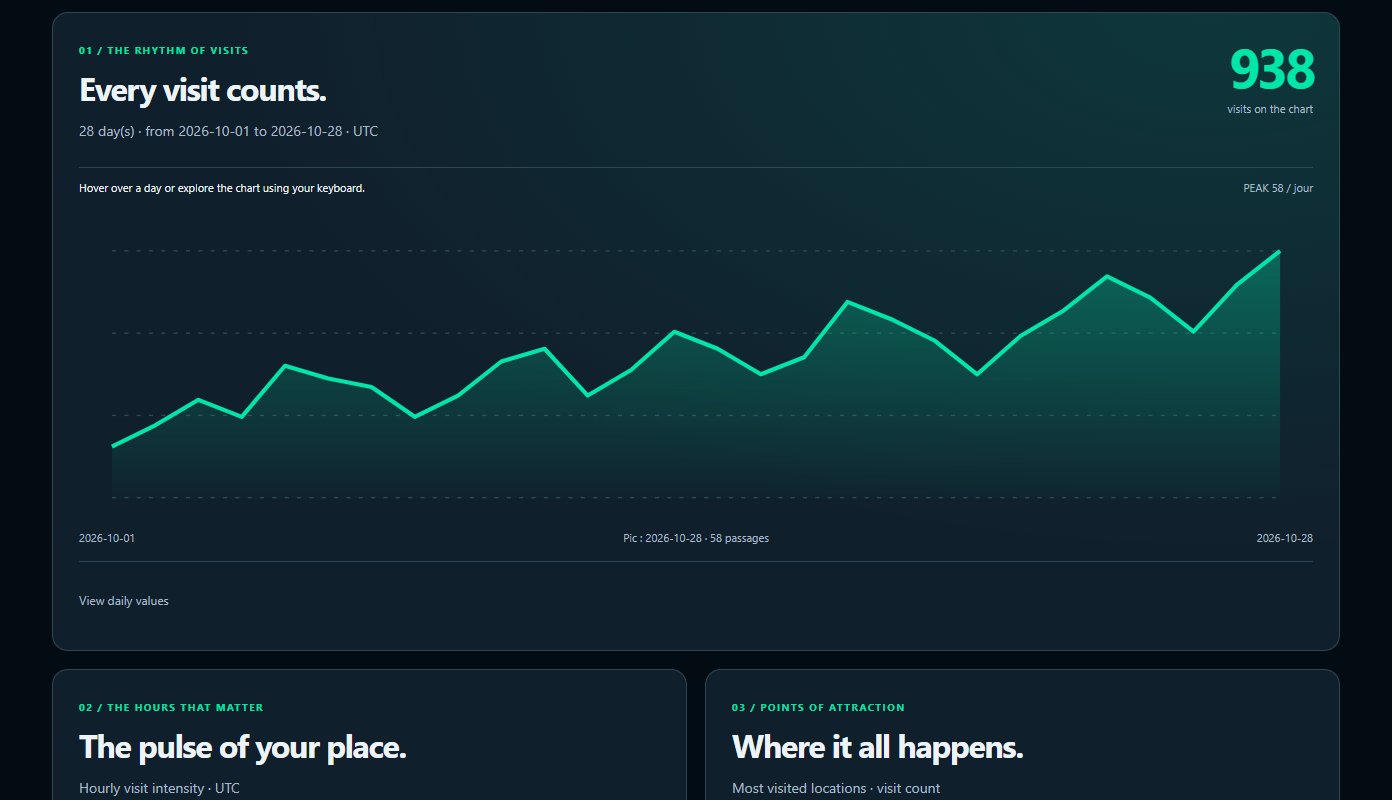
Review its features, included objects and licence terms.
Use your invitation and link your Second Life avatar to the intended account.
Follow the service guide, connect your objects and check their first contact in the dashboard.
OBJECTS THAT WORK TOGETHER
Follow the connections between objects. Open each one to understand its role.
Detects visitors according to its settings and sends observations to your workspace.
Compare periods, unique visitors and locations. Team members see data according to their permissions.
If you also use Pay2Visit, compare intentions, visits and rewards on the same parcel. Visitor Counter does not trigger payments.
Installation and troubleshooting guide →
EXPLORE AND GET STARTED
Practical steps to get your service running.
Object setup, essential functions and troubleshooting: read this service’s guide without signing in.
DAY TO DAY
Available features depend on your plan, permissions and connected objects.
Detects visitors according to its settings and sends observations to your workspace.
Compare periods, unique visitors and locations. Team members see data according to their permissions.
If you also use Pay2Visit, compare intentions, visits and rewards on the same parcel. Visitor Counter does not trigger payments.
The public website, dashboard and HUD are available in French, English, Spanish, German and Turkish. Server-generated replies to users also follow their language. Local SL object menus and texts remain in English.
Daily visits report. Each member chooses their permitted events and their own webhook, shared across their services. The website sends notifications even when the SL bot is offline.
Pricing, duration and included features are listed on each service page.
Terms of sale →Find setup and troubleshooting steps, or contact Script Lab about your setup.
Contact →Each member receives only the access and notifications you allow. Objects’ SL accounts remain separate.
Privacy →Visitor Counter
Let’s discuss your setup, the objects you need and the right licence.